
Close the last window.
The app quits. Finally.
FixRed is a tiny menu-bar utility that quits a Mac app the moment you close its last window — so you stop hunting for ⌘Q. Set it once and forget it’s there.
Small app. Surprisingly complete.
One job done right — plus the controls power users actually reach for.
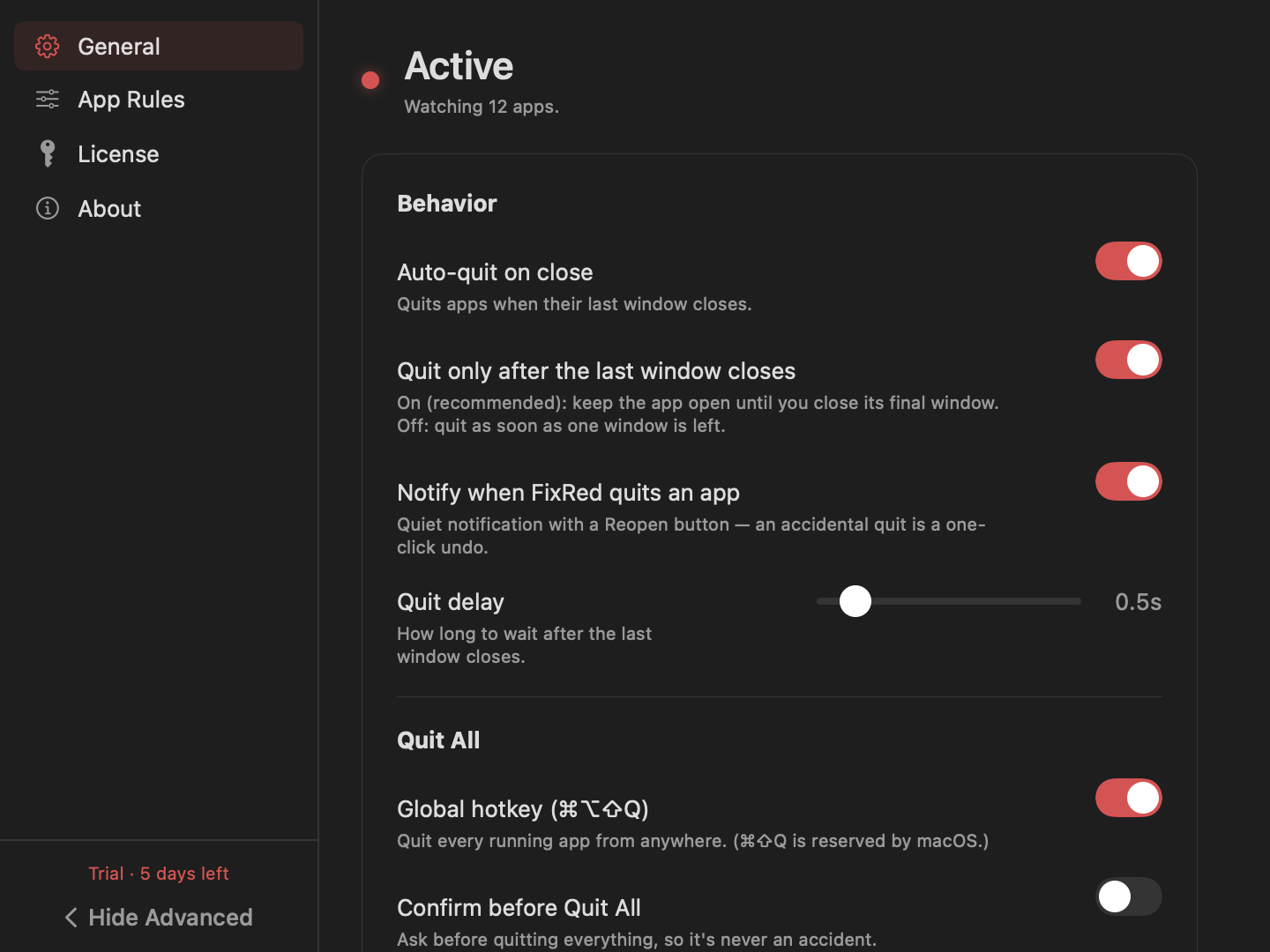
Auto-quit on close
When an app’s last window closes, FixRed quits it. No lingering apps in the Dock, no orphaned menu bars.
Per-app rules
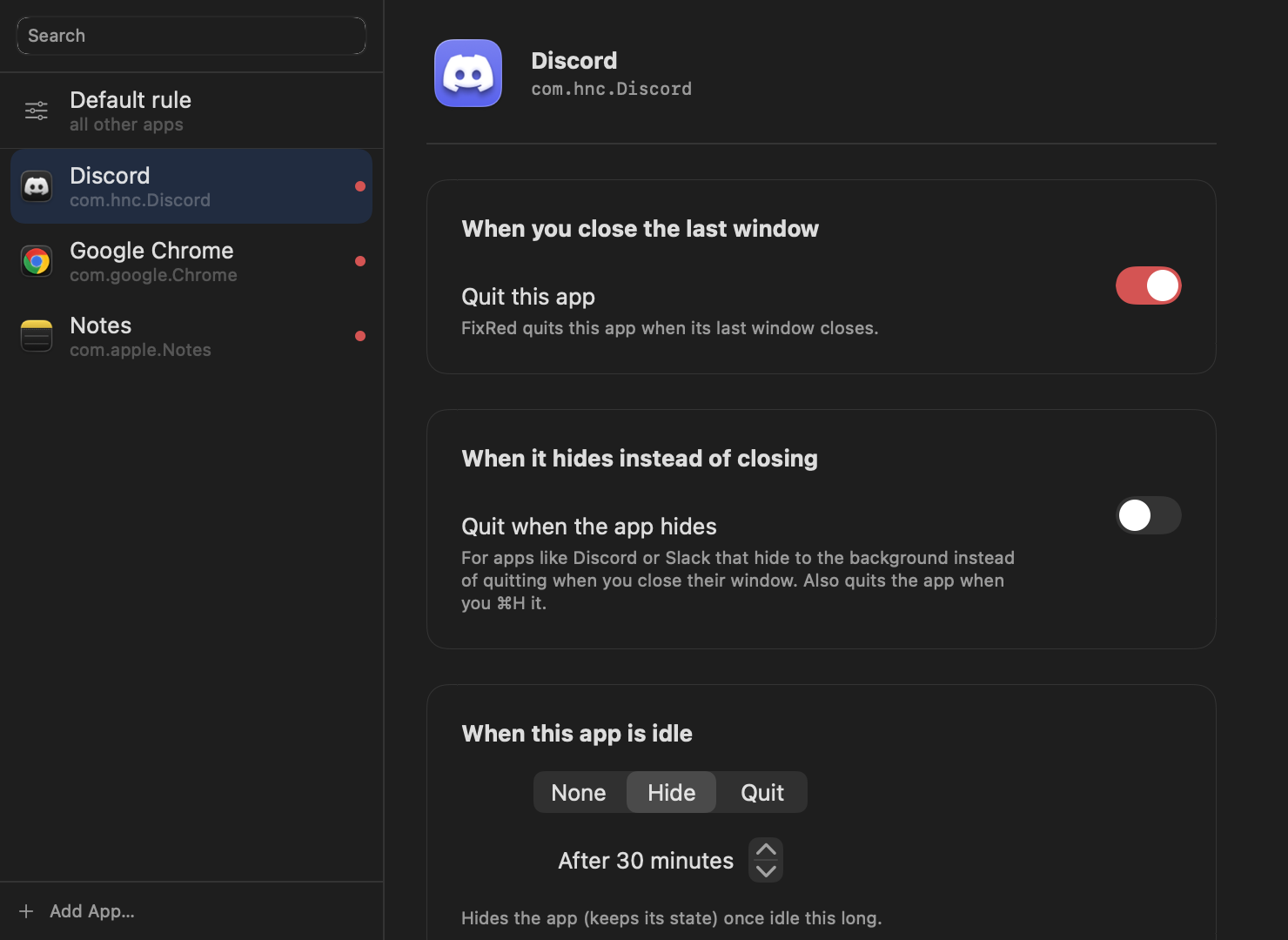
Override the default for any app: quit on close, quit when idle, quit when hidden, or leave it alone entirely.
Notify, with one-click Reopen
A quiet notification each time FixRed quits something. Closed the wrong window? Reopen it instantly.
Quit when idle
Hide or quit an app after it’s been untouched for a while. Reclaim memory from things you forgot were open.
Quit All, on a hotkey
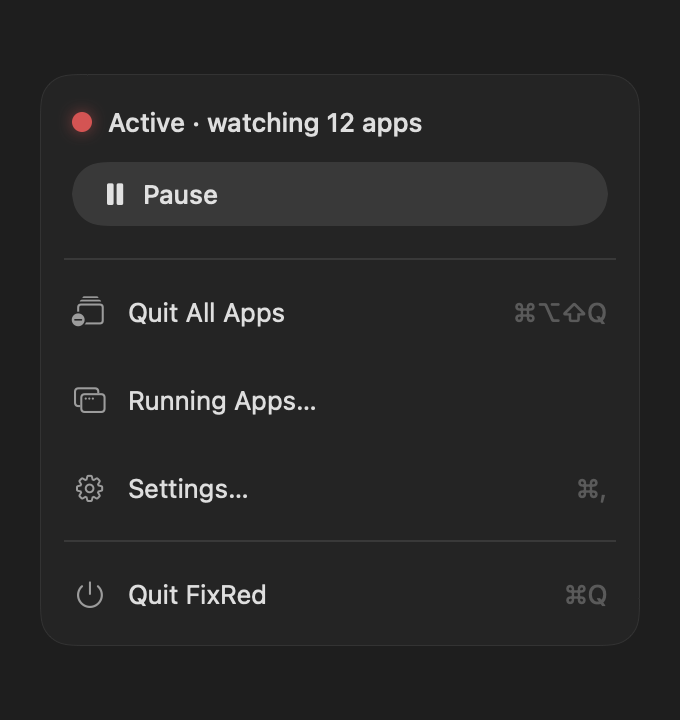
Clear your whole desktop with ⌘⌥⇧Q. System apps stay safe, and you can require a confirm so it’s never an accident.
A full history
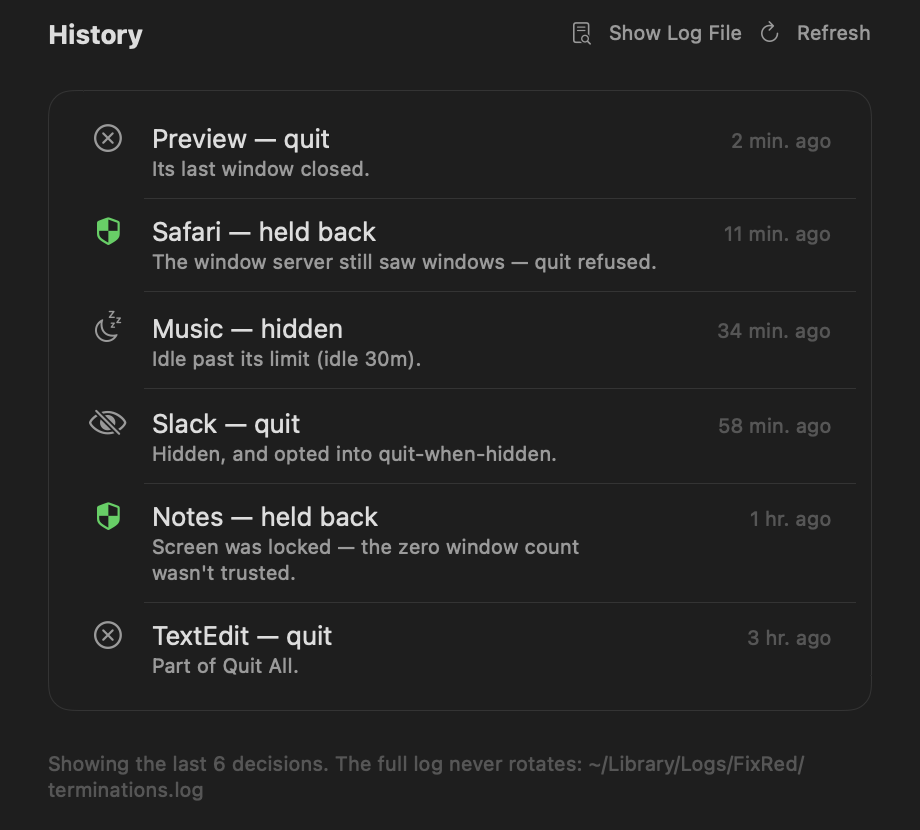
Every quit and every decision FixRed held back is logged. If an app closed, you can see exactly why.
Some apps are special. Tell FixRed which.
Discord and Slack hide instead of quitting. Your editor should never close on you. Set a rule per app and FixRed respects it.
- Quit on close, on idle, or on hide — your call, per app
- Exclude an app from Quit All entirely
- Sensible defaults for system apps out of the box
If an app closed, you can see exactly why.
FixRed logs every quit — and every decision it held back. No more wondering whether something closed on its own.
- Quits and held-back decisions, both with the reason
- “Held back” when the screen was locked or windows were still up
- An append-only log that never rotates
It quits apps. So it’s careful about it.
Signed & notarized by Apple
Distributed with a Developer ID certificate and notarized by Apple — Gatekeeper verifies it before it ever runs. No scary “unidentified developer” warning.
Why it needs Accessibility
macOS only lets an app see another app’s windows through the Accessibility API. That’s the one permission FixRed asks for — to count windows. It reads nothing else, and never your screen content.
Never quits the wrong thing
FixRed re-checks every decision before acting, ignores a user-driven ⌘Q, skips system-critical apps, and logs every call. A second window-server check vetoes any quit it isn’t sure about.
One price. Paid once.
No subscription. No account. No upsell.
- Every feature, no tiers
- Unlimited apps watched
- Licensed for 1 Mac
- Free updates via Sparkle
- 5-day free trial before you buy
Need it on a second Mac? Email [email protected] for a reset.
Good things to know
Is FixRed safe?
Why does it need Accessibility permission?
Why isn’t FixRed on the Mac App Store?
What happens after the trial?
Will it quit an app I’m still using?
Which Macs does it run on?
Stop closing windows that won’t go away.
Try it free for five days. Keep it forever for $4.99.